Scoped Overviews
Summarize the records permitted in the current workspace.
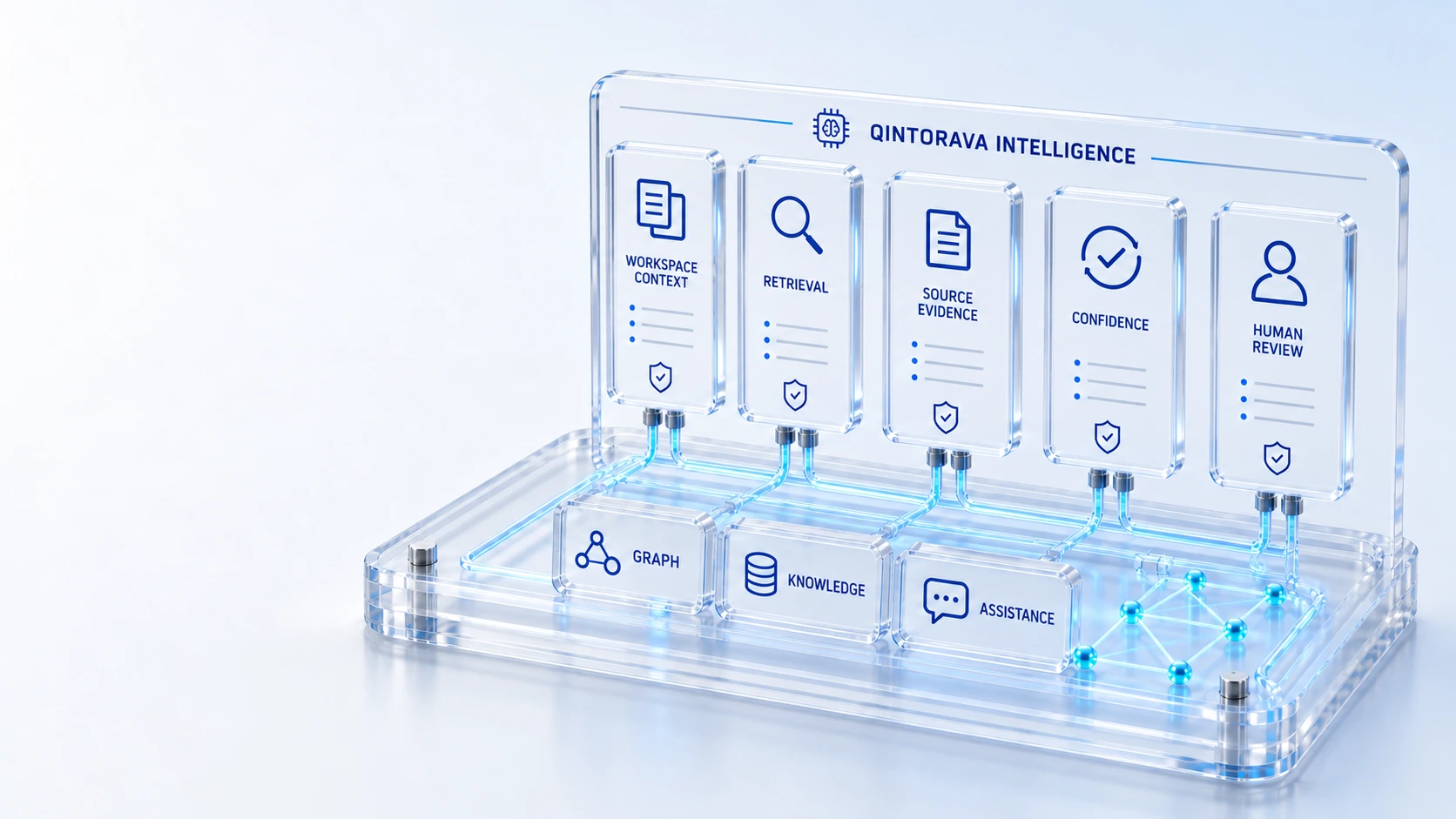
Scoped OverviewsSummarize the records permitted in the current workspace.
Record AssistanceAsk for guidance in the context of operational work.
Retrieval FirstUse governed graph and vector retrieval before model fallback.
Confidence VisibilityIdentify low-confidence or ungrounded guidance.
RetrieveExplain
Bring scoped AI overviews and record assistance into the workspace, with retrieval context, confidence indicators and human decisions.
Summarize the records permitted in the current workspace.
Ask for guidance in the context of operational work.
Use governed graph and vector retrieval before model fallback.
Identify low-confidence or ungrounded guidance.
Retrieve → Explain → Review
Explore the details below, then bring your workflow, source data and questions to a guided conversation.
Built into the platform
Summarize the records permitted in the current workspace.
Ask for guidance in the context of operational work.
Use governed graph and vector retrieval before model fallback.
Identify low-confidence or ungrounded guidance.
Inspect the evidence behind a workspace overview.
Configure the AI control plane and platform usage.
Actual product view
See the running demo environment. Features and records are subject to your role, configuration and integrations.
Connected by design
Service records, configuration items, people, locations and evidence share the same operational foundation. Move from investigation to the related asset, service or customer workflow with clear ownership.
Explore the platform architectureImplementation context
AI guidance requires review. Recommendations do not independently execute device commands, publish customer messages or authorize field work.
Who this is for
An AI answer is difficult to use responsibly when its scope, evidence and confidence are hidden. Teams need assistance grounded in permitted operational context, with a clear boundary between a recommendation and an authorized action.
Illustrative walkthrough
A fictional service lead asks for an overview of current priority work and guidance on one record. The evaluation checks permitted retrieval context, source visibility and low-confidence behavior before the lead decides what to do.
Open a representative workspace and establish the records available to the current role before requesting an AI overview of the work. Summarize the records permitted in the current workspace.
Review the retrieval context and evidence behind the response, including how ungrounded or low-confidence guidance is identified for the human reviewer. Use governed graph and vector retrieval before model fallback.
Use record assistance to support investigation, then return to the operational workflow for any approval, customer publication or physical work decision. Inspect the evidence behind a workspace overview.
Ask the demonstrator to show both a useful grounded overview and a case with insufficient evidence, explaining how the user should respond when confidence is low. Use demonstration records and preserve the applicable reporting scope.
Explore the platform
Open a workspace for a closer look.
Prepare the evaluation
These are evaluation criteria, not promised outcomes. Agree the baseline, scope, source coverage and acceptance method with the responsible owners before drawing conclusions.
Questions for this topic
No. Current guidance does not independently execute device commands, publish customer messages or authorize field work; those activities retain separate operational and human controls.
The platform uses scoped graph and vector retrieval before model fallback, and reviewers should inspect the available evidence and confidence within their permitted workspace.
Qintorava states that real customer data is not used for training and only demo data is used; deployment-specific processing obligations belong in the applicable customer agreement.
Your next operating chapter
Bring one workflow, one service challenge or one part of your estate. We’ll show you where Qintorava fits.