Shared Records
Keep common record definitions, references and work history behind focused workspaces.
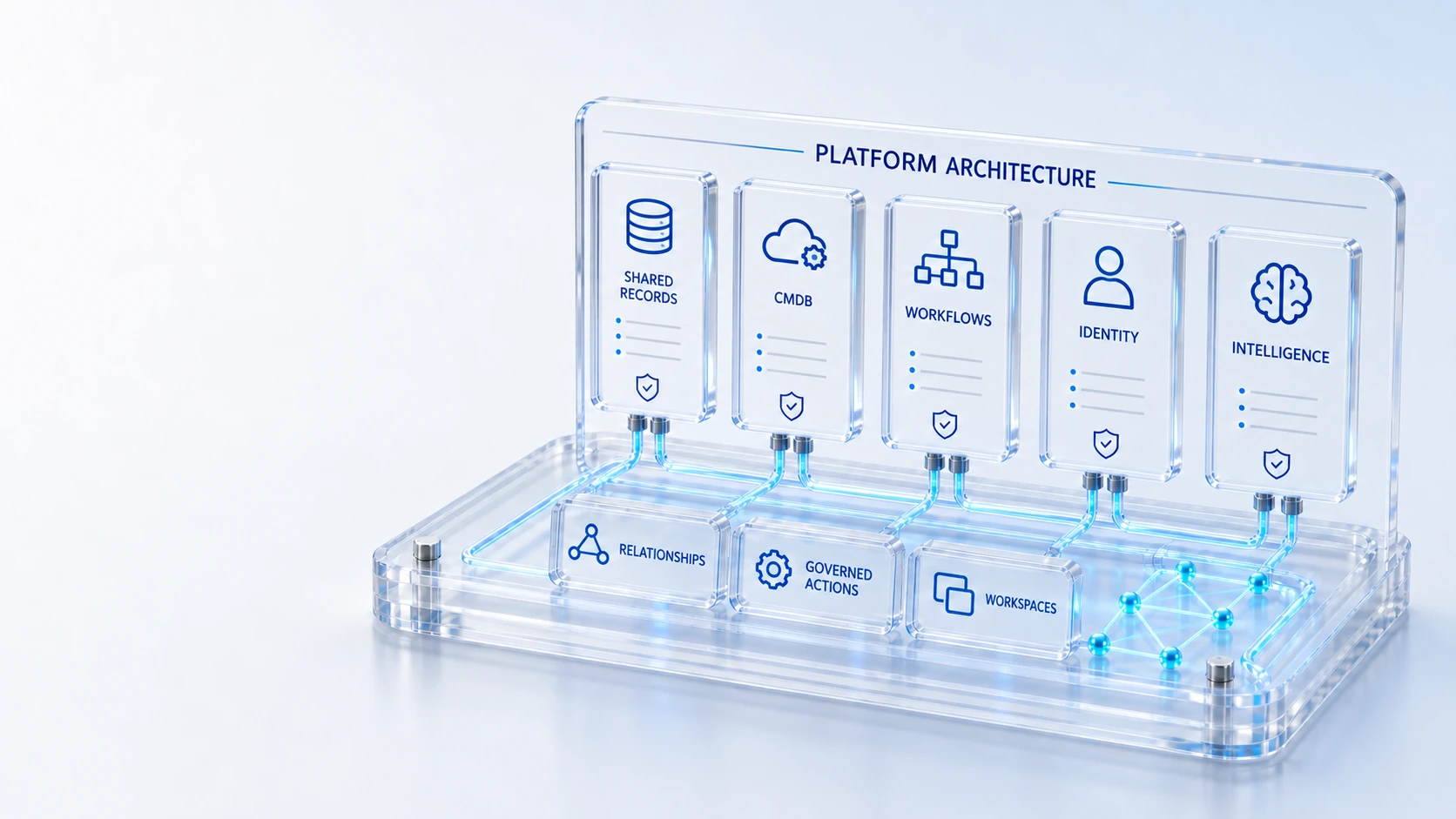
Shared RecordsKeep common record definitions, references and work history behind focused workspaces.
Typed RelationshipsConnect canonical configuration items and services with recorded directional relationships.
Role-Aware WorkspacesShow the destinations and operating context available to each signed-in role.
Governed ActionsApply configured permissions, workflow gates and accountable human decisions.
RecordsRelationships
Unite the shared record engine, CMDB, workflow, identity, AI assistance and collaboration behind every workspace.
Keep common record definitions, references and work history behind focused workspaces.
Connect canonical configuration items and services with recorded directional relationships.
Show the destinations and operating context available to each signed-in role.
Apply configured permissions, workflow gates and accountable human decisions.
Records → Relationships → Workspaces
Explore the details below, then bring your workflow, source data and questions to a guided conversation.
Built into the platform
Keep common record definitions, references and work history behind focused workspaces.
Connect canonical configuration items and services with recorded directional relationships.
Show the destinations and operating context available to each signed-in role.
Apply configured permissions, workflow gates and accountable human decisions.
Inspect reporting scope, data provenance and the evidence behind an overview.
Distinguish configured sources, verified connections and unsupported external actions.
Actual product view
See the running demo environment. Features and records are subject to your role, configuration and integrations.
Connected by design
Service records, configuration items, people, locations and evidence share the same operational foundation. Move from investigation to the related asset, service or customer workflow with clear ownership.
Explore the platform architectureImplementation context
Features depend on enabled modules, configured roles, source data and supported integrations. Agree your implementation scope and acceptance criteria during discovery.
Who this is for
A collection of workspaces becomes another silo if each maintains competing records, identity rules and evidence. Architecture review must establish the common foundation and distinguish configured integrations from connections that have actually been verified. An evaluation of Platform Architecture should make those boundaries inspectable before the team relies on the operating view.
Illustrative walkthrough
A fictional architecture board traces a customer issue across a case, service CI and field order. The reviewers want to see how shared records, typed relationships, identity and governed actions support the handoffs without assuming every external action is enabled.
Locate the common record definitions and references used by the selected workspaces, identifying where operational work history stays attached to the governed record. Keep common record definitions, references and work history behind focused workspaces.
Trace the recorded configuration and service references that connect the case or incident to its asset context and any resulting field work. Show the destinations and operating context available to each signed-in role.
Inspect the current role, configured workflow gates and source evidence, then separate configured external sources from verified connections and supported actions. Inspect reporting scope, data provenance and the evidence behind an overview.
The architecture walkthrough should follow an actual chain of permitted records across workspaces and explain every handoff boundary, including where configuration or an external integration is still required. Use demonstration records and preserve the applicable reporting scope.
Explore the platform
Open a workspace for a closer look.
Prepare the evaluation
These are evaluation criteria, not promised outcomes. Agree the baseline, scope, source coverage and acceptance method with the responsible owners before drawing conclusions.
Questions for this topic
Focused workspaces use a shared record foundation, configuration relationships and operating context; evaluators should inspect the actual references rather than assume duplicate records are required for each team.
No. Configured sources, verified connections and supported actions remain distinct, and reviewers should inspect permissions and evidence for the specific integration or operation being evaluated.
Choose a bounded workflow with known source records, accountable owners and explicit access requirements, then validate the shared handoffs before expanding the configuration or operating scope.
Your next operating chapter
Bring one workflow, one service challenge or one part of your estate. We’ll show you where Qintorava fits.