Table Registry
Maintain registered record types through the shared configuration framework.
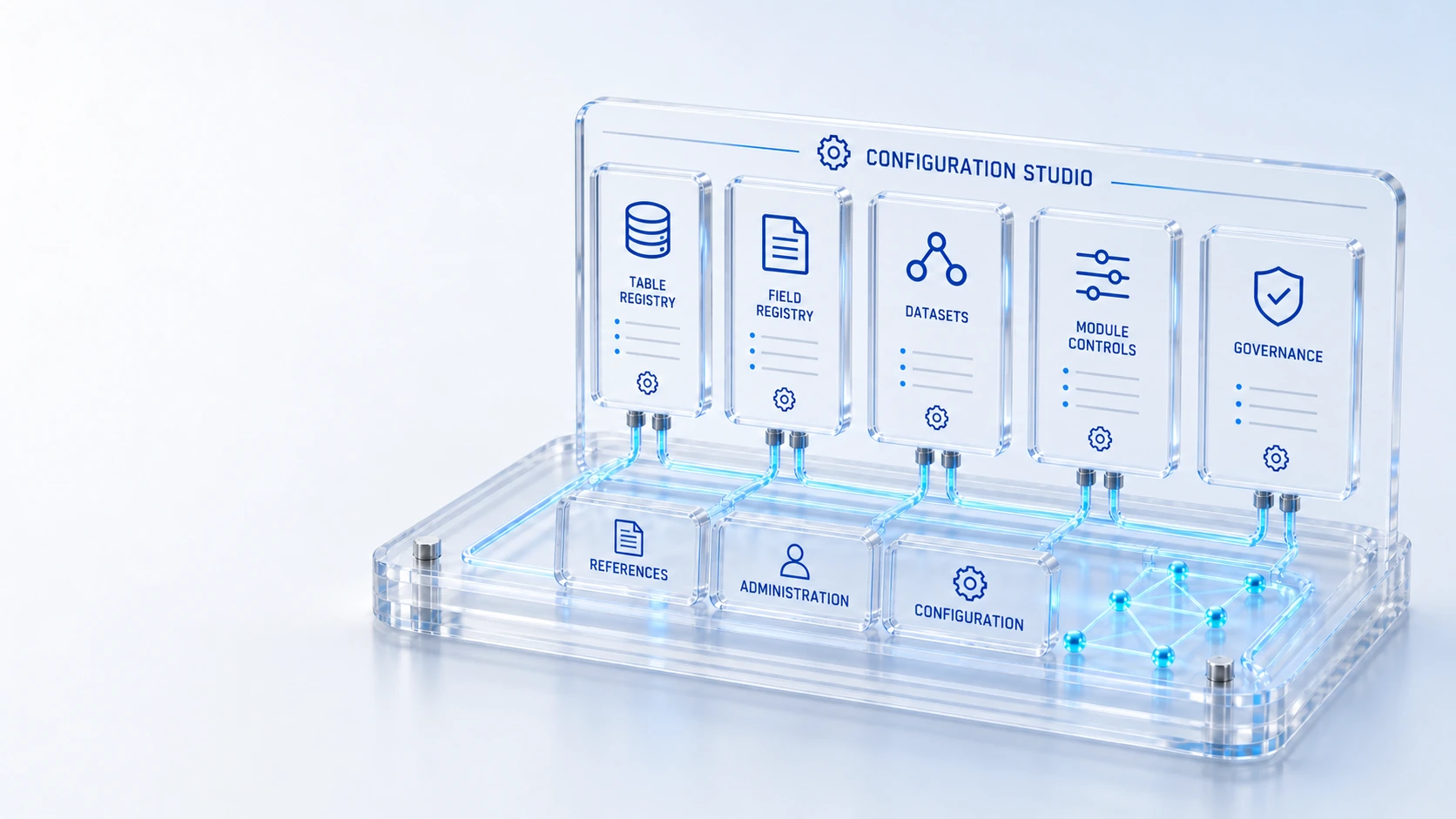
Table RegistryMaintain registered record types through the shared configuration framework.
Field RegistryConfigure supported fields and reference behavior within the platform model.
DatasetsManage platform dataset configuration within authorized administration.
Configuration GovernanceKeep configuration changes within administrator permissions and governance.
DefineConfigure
Manage table and field definitions, module configuration and governance in the shared administration workspace.
Maintain registered record types through the shared configuration framework.
Configure supported fields and reference behavior within the platform model.
Manage platform dataset configuration within authorized administration.
Keep configuration changes within administrator permissions and governance.
Define → Configure → Govern
Explore the details below, then bring your workflow, source data and questions to a guided conversation.
Built into the platform
Maintain registered record types through the shared configuration framework.
Configure supported fields and reference behavior within the platform model.
Manage platform dataset configuration within authorized administration.
Keep configuration changes within administrator permissions and governance.
Configure which product modules and capabilities are enabled.
Apply the shared field and form model to operational configuration.
Actual product view
See the running demo environment. Features and records are subject to your role, configuration and integrations.
Connected by design
Service records, configuration items, people, locations and evidence share the same operational foundation. Move from investigation to the related asset, service or customer workflow with clear ownership.
Explore the platform architectureImplementation context
Features depend on enabled modules, configured roles, source data and supported integrations. Agree your implementation scope and acceptance criteria during discovery.
Who this is for
Adapting a platform becomes difficult when field definitions, references and enabled modules drift across teams. Configuration changes need a shared registry and appropriate administration rather than separate assumptions about how every record type behaves. An evaluation of Configuration Studio should make those boundaries inspectable before the team relies on the operating view.
Illustrative walkthrough
A fictional implementation lead adapts the record model for an internal service process. The administrator reviews the registered table, supported field definitions, reference behavior and enabled module configuration before presenting the form to operational users.
Review the table registry and the existing record type before deciding whether the proposed configuration can use the shared record model. Maintain registered record types through the shared configuration framework.
Inspect supported field definitions, reference behavior and dataset configuration with the authorized administrator so the resulting form expresses the intended operational context. Manage platform dataset configuration within authorized administration.
Confirm the required product module is enabled and review the administration permissions and configuration governance before the team relies on the proposed change. Configure which product modules and capabilities are enabled.
Ask the administrator to show the registered table, a configured field and its reference behavior, then explain the permissions and module prerequisites for that configuration in the chosen workflow. Use demonstration records and preserve the applicable reporting scope.
Explore the platform
Open a workspace for a closer look.
Prepare the evaluation
These are evaluation criteria, not promised outcomes. Agree the baseline, scope, source coverage and acceptance method with the responsible owners before drawing conclusions.
Questions for this topic
No. The available studio manages registered tables, supported fields, datasets and module configuration within the platform framework; additional behavior must be verified rather than assumed from the presence of a registry.
No. Configuration governance and administrator permissions still apply, and operational access should be reviewed through the relevant identity, record and field policy model.
Use one bounded record and workflow example, inspect its references and enabled module dependencies, then have representative operational roles review the resulting form and behavior.
Your next operating chapter
Bring one workflow, one service challenge or one part of your estate. We’ll show you where Qintorava fits.