Operational Overview
Review active work, critical priority and resolution.
Operational OverviewReview active work, critical priority and resolution.
Demand TrendsCompare created and resolved work over seven days.
Work by ModuleUnderstand the records contributing to workload.
Configuration LandscapeSee recorded operational state across CIs.
DemandContext
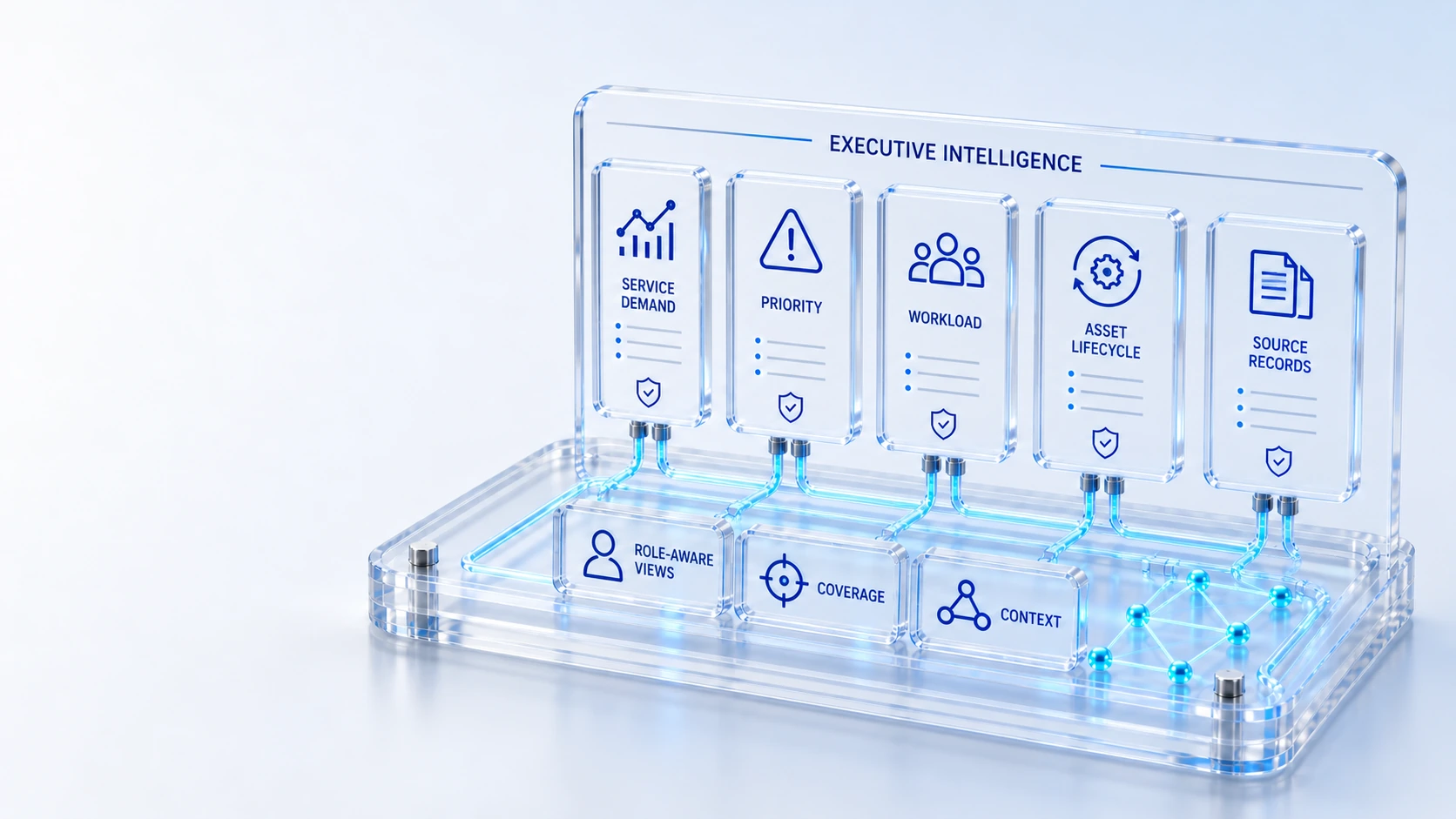
Bring service demand, priority, completion and asset lifecycle intelligence into role-aware views with source visibility.
Review active work, critical priority and resolution.
Compare created and resolved work over seven days.
Understand the records contributing to workload.
See recorded operational state across CIs.
Demand → Context → Decisions
Explore the details below, then bring your workflow, source data and questions to a guided conversation.
Built into the platform
Review active work, critical priority and resolution.
Compare created and resolved work over seven days.
Understand the records contributing to workload.
See recorded operational state across CIs.
Review custody, warranty, lifecycle and financial exposure.
Inspect measurement rules and distinguish demonstration data.
Actual product view
See the running demo environment. Features and records are subject to your role, configuration and integrations.
Connected by design
Service records, configuration items, people, locations and evidence share the same operational foundation. Move from investigation to the related asset, service or customer workflow with clear ownership.
Explore the platform architectureImplementation context
Views and actions follow configured roles, permissions, enabled modules and connected source data. Screens show a demonstration environment.
Who this is for
Leadership cannot act confidently on a single headline number when the contributing modules, reporting period and measurement rules are unclear. Operational priorities and asset exposure need inspectable evidence rather than an unexplained score. An evaluation of Executive Intelligence should make those boundaries inspectable before the team relies on the operating view.
Illustrative walkthrough
A fictional CIO prepares a weekly operating review. The leadership team wants to compare seven-day demand and resolution, understand critical work and inspect hardware lifecycle exposure without presenting demonstration figures as customer results. This is an illustrative evaluation scenario, not a claim about a customer deployment.
Review the role-aware overview and identify the active work, critical priorities and modules represented in the current view. Review active work, critical priority and resolution. Ask the demonstrator to identify the responsible role and the source evidence for this step.
Examine created and resolved work over the seven-day window, checking the source and meaning of each measure before interpreting a trend. Understand the records contributing to workload.
Inspect recorded custody, warranty, lifecycle and financial exposure in the hardware intelligence workspace, then identify the owner for follow-up. Review custody, warranty, lifecycle and financial exposure.
A leadership evaluator should trace a demand or lifecycle measure to its source context and explain its reporting window before including it in a management presentation. Use demonstration records and preserve the applicable reporting scope.
Explore the platform
Open a workspace for a closer look.
Prepare the evaluation
These are evaluation criteria, not promised outcomes. Agree the baseline, scope, source coverage and acceptance method with the responsible owners before drawing conclusions.
Questions for this topic
No. The public captures show a demonstration environment, and a leadership evaluation must establish its own source records, reporting scope and validated baseline.
The available hardware workspace includes custody, warranty, lifecycle and recorded financial context, which should be reviewed alongside service workload rather than merged into an unsupported score.
Source transparency and measurement context are part of the available workspace approach; reviewers should request the reporting rule and contributing records for their selected metric.
Your next operating chapter
Bring one workflow, one service challenge or one part of your estate. We’ll show you where Qintorava fits.