Service Intake
Connect requests, support and knowledge access.
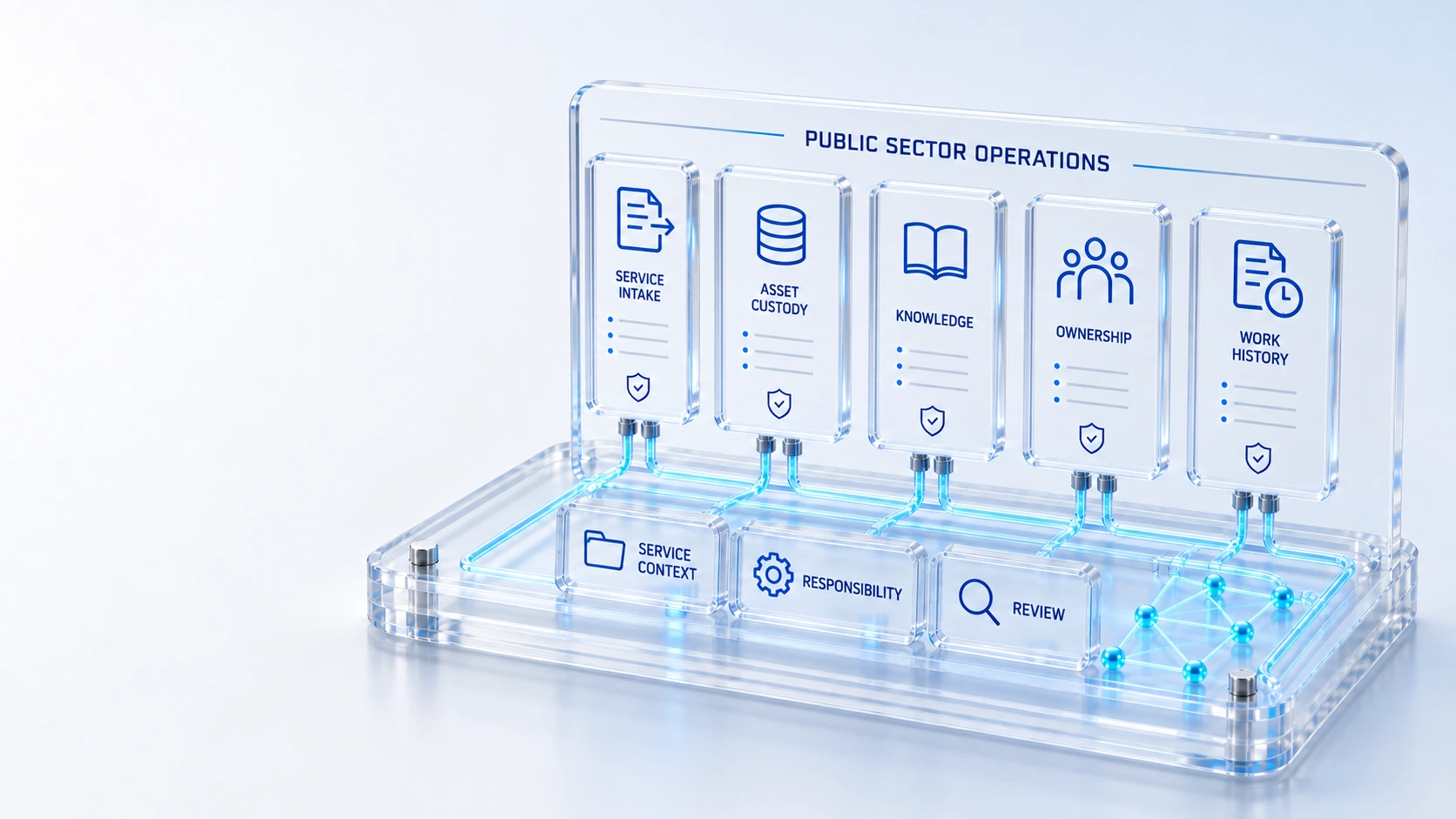
Service IntakeConnect requests, support and knowledge access.
Asset ResponsibilityKeep custody and inventory linked to owners.
Work HistoryPreserve records and configured permissions.
Engagement RequirementsAssess deployment, procurement and compliance scope.
ContextWork
Connect service intake, asset responsibility, knowledge and work history. Deployment, procurement and compliance requirements are assessed for each engagement.
Connect requests, support and knowledge access.
Keep custody and inventory linked to owners.
Preserve records and configured permissions.
Assess deployment, procurement and compliance scope.
Context → Work → Evidence
Use cases describe technology and service operations. Requirements and implementation scope are reviewed during discovery.
Built into the platform
Manage priority, assignment, investigation and restoration in connected records.
Track recurring issues, root cause and known-error work.
Review inventory, capital exposure and lifecycle exceptions.
Manage hardware models and stored inventory.
Help users find and request available services.
Track the service work visible to the signed-in user.
Actual product view
See the running demo environment. Features and records are subject to your role, configuration and integrations.
Connected capabilities
Unite incidents, major incidents, problems, changes and requests with service context, accountable ownership and AI assistance.
Explore 02 / assetsConnect procurement, custody, inventory, stockrooms, warranty, leases, maintenance, disposal and employee recovery to the same hardware CIs.
Explore 03 / serviceBring requests, knowledge, approvals, customer service and assigned field work into a role-aware portal.
ExploreImplementation context
Industry examples illustrate technology and service operations use cases, not industry certification or regulatory compliance. Scope, integrations, access and service commitments are agreed during discovery.
Who this is for
Public-sector technology teams need accountable service intake, equipment responsibility and reviewable work history across organizational boundaries. An evaluation must connect those operating records while separately assessing procurement, privacy, accessibility, hosting and security requirements applicable to the particular agency rather than assuming that a product demonstration establishes authorization.
Illustrative walkthrough
In this illustrative scenario, an agency technology team evaluates an employee equipment request. The service owner reviews portal intake and the configured approval responsibility, coordinates hardware fulfillment and inspects custody evidence while documenting the separate procurement and deployment questions that require agency review.
Review the representative requester role, catalog item and information needed for fulfillment. Inspect the permitted portal experience and responsible service owner. Keep the example focused on technology service work rather than assuming it represents every citizen service, agency process or public-facing digital government requirement.
Follow the configured review and assignment process, bringing relevant stockroom and custody context into the work. Record who receives responsibility for the equipment and which exceptions remain. Distinguish approval of the request from procurement authorization, physical receipt and any additional agency controls governing the transfer.
Review the completed request and asset context with the appropriate owners. Document access, hosting, privacy, accessibility and procurement questions for the separate agency assessment. Use observed evidence to define the evaluation boundary without treating the workflow as an automatic approval to deploy across the public-sector organization.
Inspect service intake, configured responsibilities, hardware custody and work history for the chosen agency technology scenario. This supports operational assessment; it does not establish FedRAMP authorization, an agency authority to operate, procurement eligibility, residency commitments or universal public-sector compliance.
Explore the platform
Open a workspace for a closer look.
Prepare the evaluation
These are evaluation criteria, not promised outcomes. Agree the baseline, scope, source coverage and acceptance method with the responsible owners before drawing conclusions.
Questions for this topic
No. The website does not assert an unverified public-sector authorization or authority to operate. Your agency must evaluate the specific deployment, security, procurement and legal requirements through its own processes. Request the relevant evidence and confirm contractual commitments before considering production adoption.
The reviewed example concerns staff technology service intake, knowledge and request visibility. It does not establish every public-facing government service or accessibility requirement. Define the intended users, workflows and applicable standards explicitly, then assess the proposed portal and integration scope against those agency requirements.
The platform connects catalog requests, fulfillment and hardware custody context. Evaluate representative agency records and receiving responsibilities to see how the evidence supports your process. The connection does not replace procurement rules, property controls or any additional approval and verification required by the responsible public-sector organization.
Your next operating chapter
Bring one workflow, one service challenge or one part of your estate. We’ll show you where Qintorava fits.